

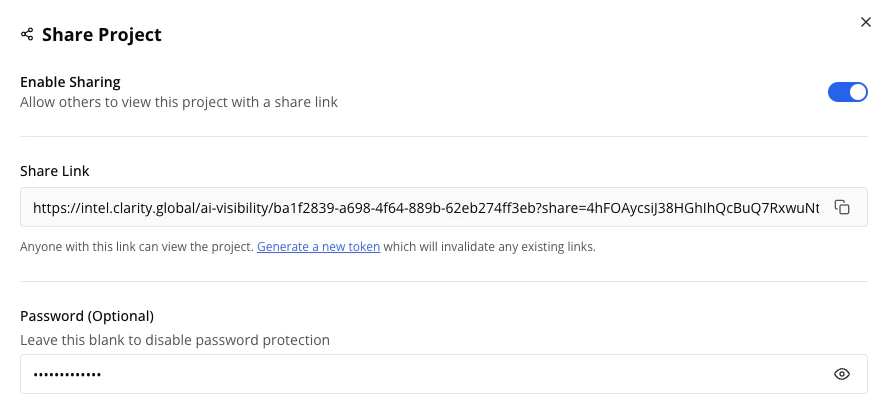
Enble sharing with an optional password
Enabling Sharing
- Open your project → Settings (gear icon)
- Toggle Enable Sharing on
- Copy the generated share link
- Optionally set a Password for sensitive data
What Shared Users Can Access
Can do:- View all analytics (dashboard, rankings, mentions, sources, matrix)
- Use filters and date ranges
- Export data
- Edit settings, brands, or prompts
- Request data collection runs
- Access other projects
Managing Access
- Revoke access: Toggle sharing off - existing links stop working immediately
- New link: Disable then re-enable sharing to generate a fresh token
- Change password: Update in settings and communicate to stakeholders
Tips
Security Best Practice
Send links and passwords through different channels for security
Regular Review
Review sharing settings periodically - disable when no longer needed
Full Access Needed?
For stakeholders who need to manage their own projects, request full user accounts instead