

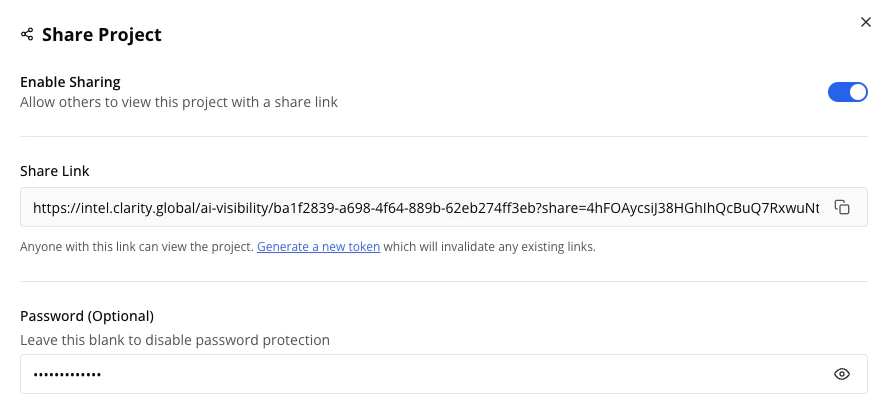
Enable sharing with an optional password
Enabling Sharing
- Open your project and click the Share button in the header
- Toggle Enable Sharing on
- Copy the generated share link
- Optionally set a Password for sensitive data
What Shared Users Can Access
Can do:- View all analytics (dashboard, rankings, mentions, sources, matrix)
- Use filters and date ranges
- Browse all report tabs
- Edit settings, brands, or prompts
- Request data collection runs
- Export data
- Access other projects
Managing Access
- Revoke access: Toggle sharing off; existing links stop working immediately
- Generate a new link: Click Refresh Token to create a fresh link and invalidate the old one
- Set or change password: Update in the share settings and communicate to stakeholders
- Remove password: Leave the password field blank to allow open access via the link
Tips
Security Best Practice
Send links and passwords through different channels for added security.
Regular Review
Review sharing settings periodically and disable sharing when no longer needed. Refresh the token if you suspect the link has been shared more widely than intended.
Full Access Needed?
For stakeholders who need to manage projects or export data, invite them as team members instead. See Team Settings for role options.